Free online tool
The free tier list maker for ranking anything.
Upload images, drag them into ranks from S to D, then save as PNG or share on X.
Drag images into a rank to sort them.
Unplaced images0 images
All images placed
Templates
Start from a template
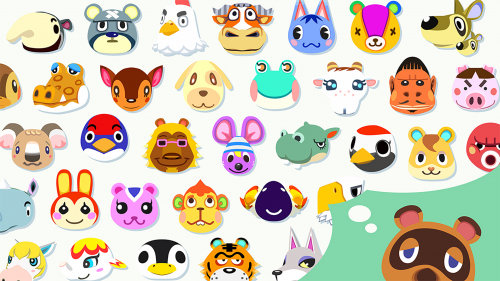
No image hunting needed. Pick a template and every picture is already waiting in the pool.





What
What is a tier list?
A tier list ranks things into tiers from S at the top to D at the bottom: game characters, anime, food, anything you have an opinion on.
The standard is yours. Rank things your way, then share the result and let people argue with it.
No account and nothing to install: open the page, start dragging, and your ranking saves itself as you go.
How
Create one in 4 steps
01
Step 1: Upload images
- Click "Add images" and your images land in the unplaced pool below the board, ready to drag into any rank.
- Supported formats: JPG / PNG / BMP / WebP, up to 2MB each.
02
Step 2: Sort into ranks
- Drag and drop on desktop, or long-press on mobile to choose a rank.
- Your sorting is saved automatically in real time.
03
Step 3: Clean up images
- Click the "×" on an image to remove it.
- "Delete all" clears the whole list at once (with a confirmation dialog).
04
Step 4: Save and share
- "Save as image" downloads the whole tier list as PNG.
- "Share on X" posts your tier list to X (Twitter).
Why
Why use this tool
Free, no sign-up
No account needed. Open your browser and start ranking.
Privacy first
Your images stay in your private storage and are never public unless you share them.
Auto-save
Your work is saved automatically. Reopen the page and continue where you left off.
Desktop, phone, or tablet
Drag with a mouse on desktop, long-press on a phone. The layout adapts to whatever screen you are on.
FAQ
Frequently asked questions
Is this tool free?
Yes, it is completely free. No registration or fees.
Where are my uploaded images stored?
Images are uploaded to your private storage area and are never shown to others unless you share them.
Which image formats are supported?
JPG / PNG / BMP / WebP, up to 2MB per image.
Does it work on mobile?
Yes, it works on phones and tablets. Long-press an image to choose where to move it.
How do I share my tier list?
Download it as PNG with "Save as image", or post it to X (Twitter) with "Share on X".
What if I close the page halfway?
Your work is auto-saved. Open the page again and pick up where you left off.